Currently, the following master data types can be defined as packaging materials: * Items
In the following, items will be used as an example for packaging materials for simplification. There are two ways to define packaging materials: 1. Definition of packaging materials by entry in the “Packaging Material” table.
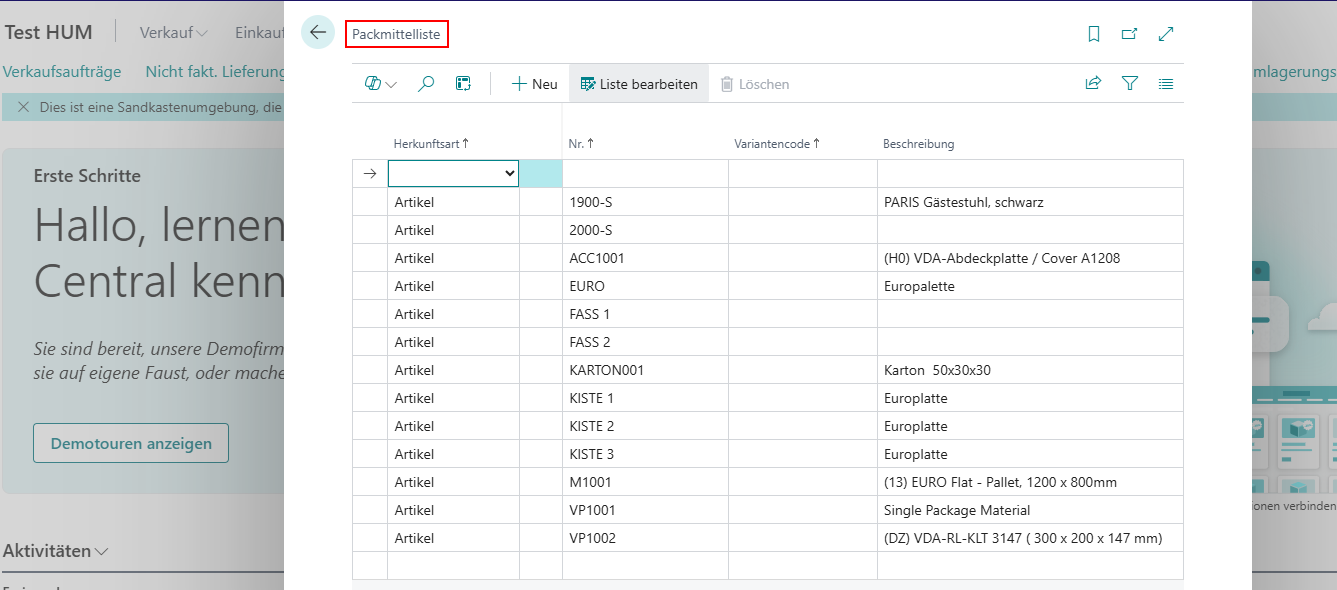
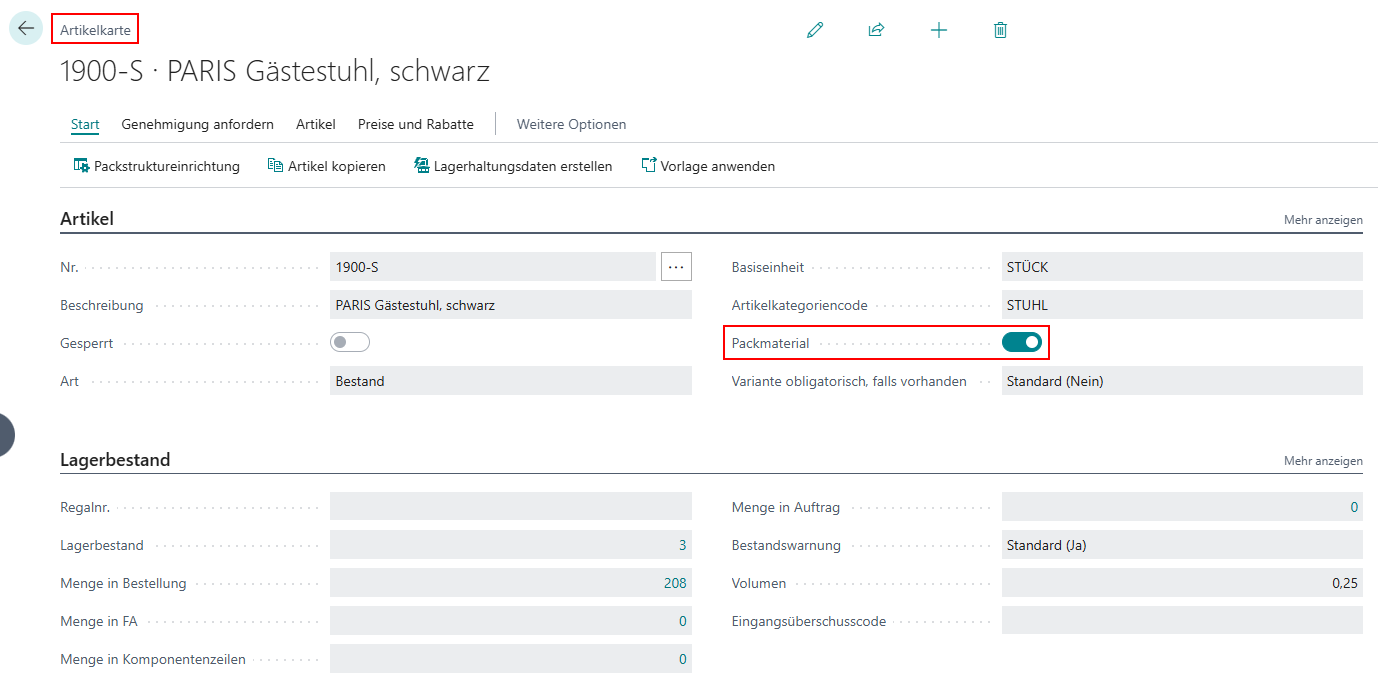 As soon as one of these configurations is made for an item, the other is automatically synchronized.
The configuration as a packaging material can also be undone later.
This setup serves merely as a filtered view of possible packaging materials from the list of items whenever the dropdown field for packaging material selection is opened in a table. Likewise, it controls the input validation for packaging materials.
As soon as one of these configurations is made for an item, the other is automatically synchronized.
The configuration as a packaging material can also be undone later.
This setup serves merely as a filtered view of possible packaging materials from the list of items whenever the dropdown field for packaging material selection is opened in a table. Likewise, it controls the input validation for packaging materials.
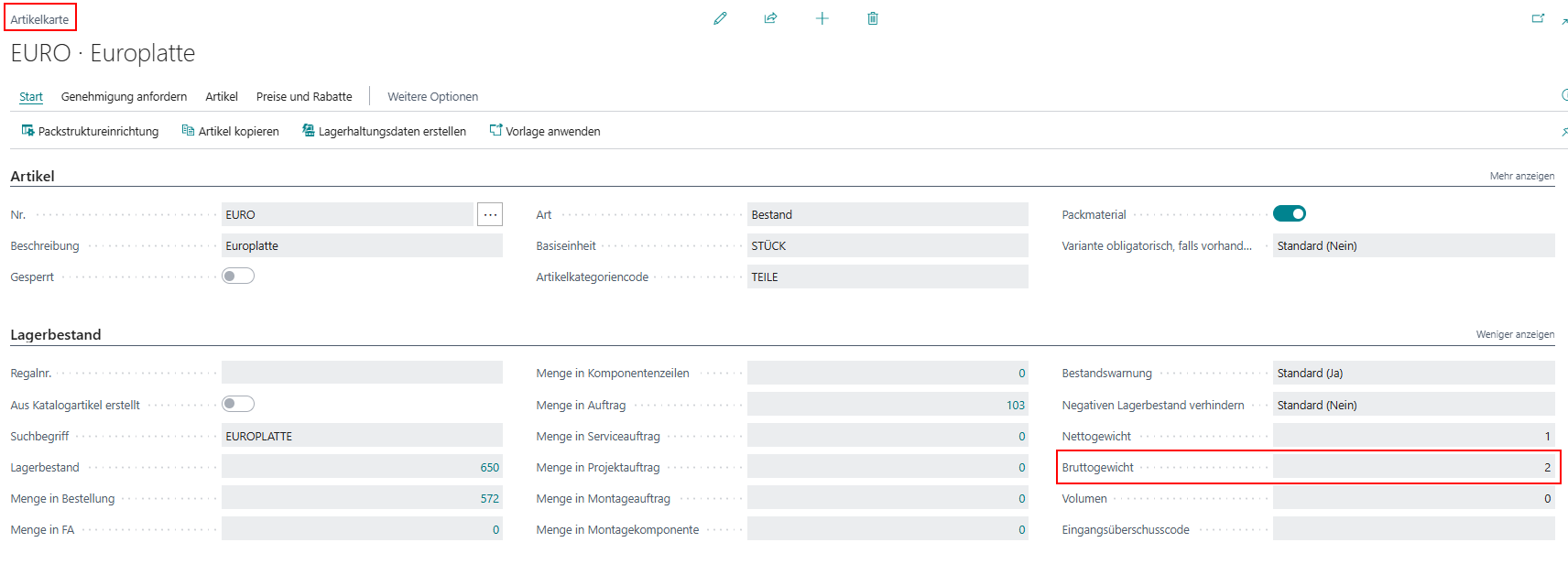
For the calculation of weights in the packaging assignment,
the gross weight defined on the item card of the packaging material is used.
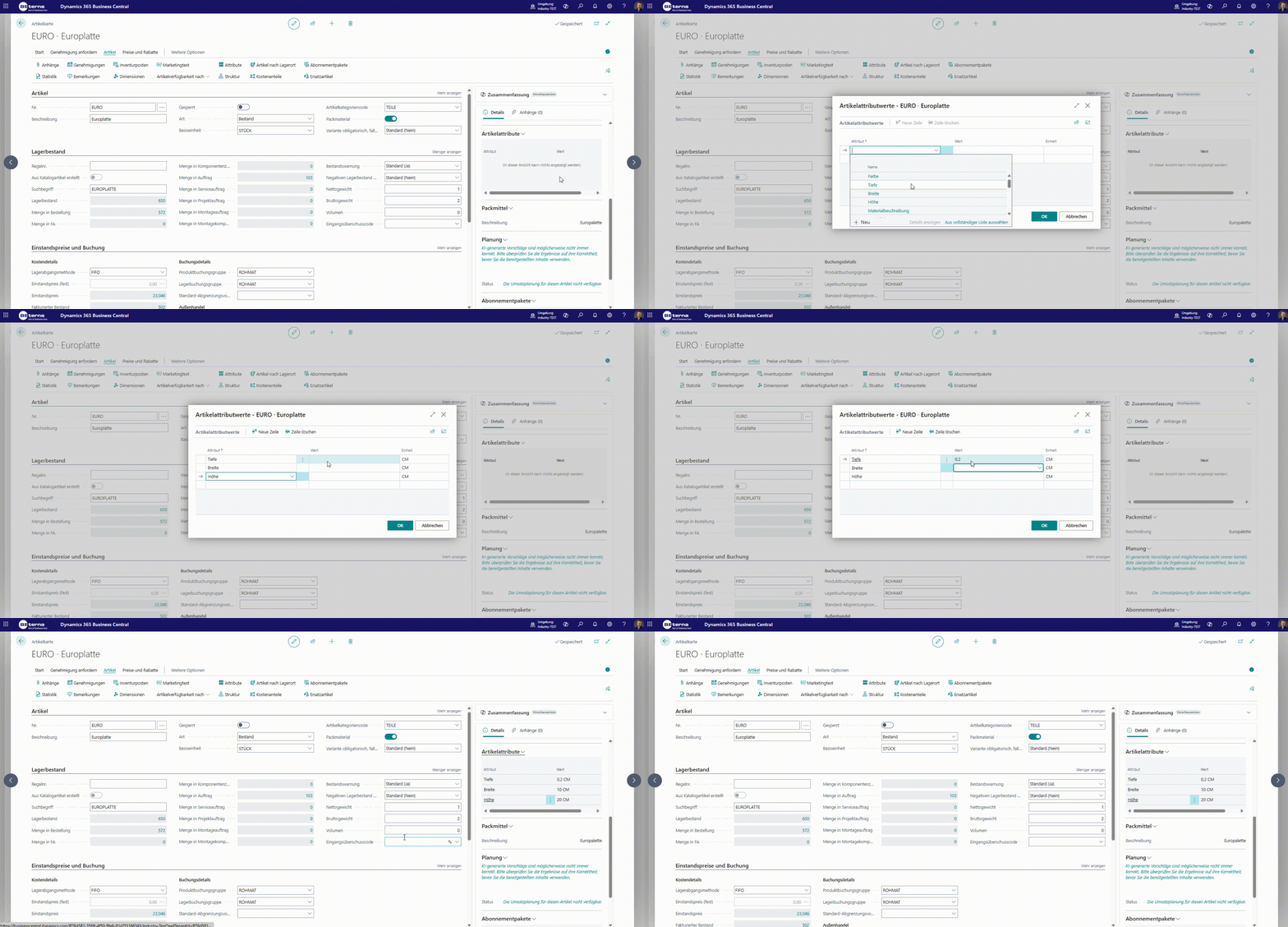
Packaging materials can have dimensions that may be relevant for specific subsequent reports or calculations.
These dimensions and properties are stored as attributes on the item.
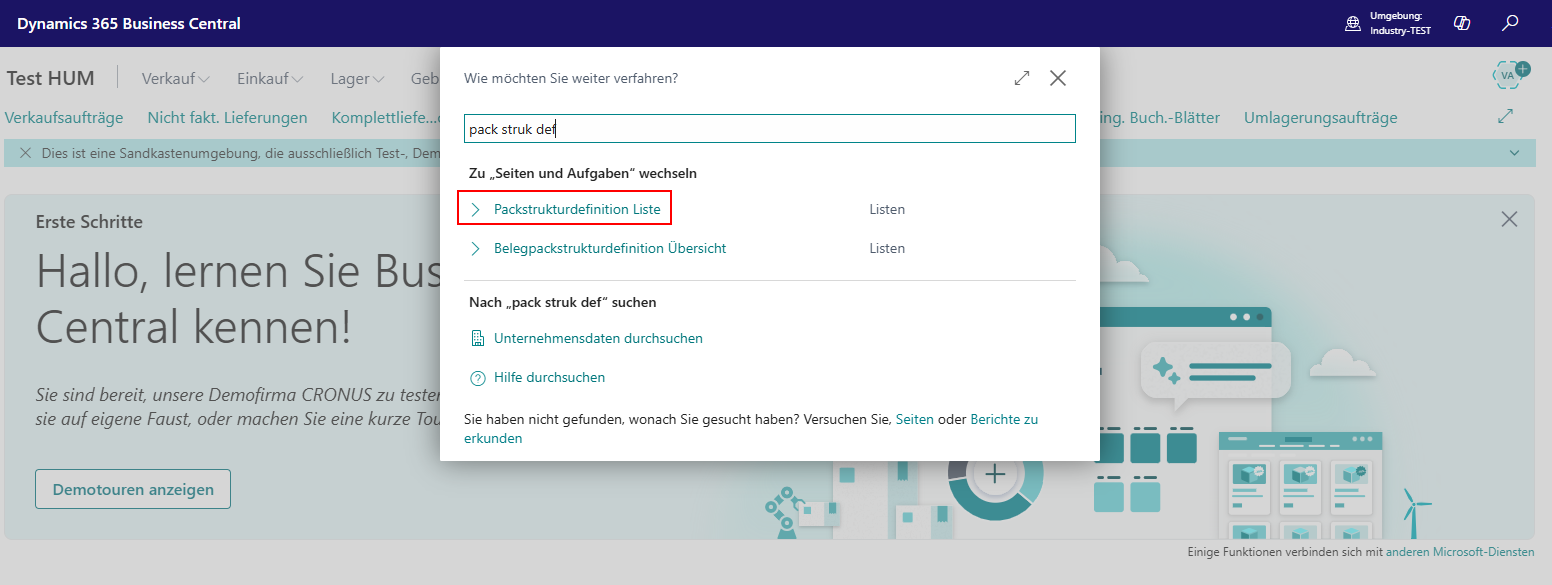
A packaging structure definition is a general, process- and content-independent packaging structure that can later be used as a template for more detailed packaging structures assigned to master data such as items, customers, or vendors.
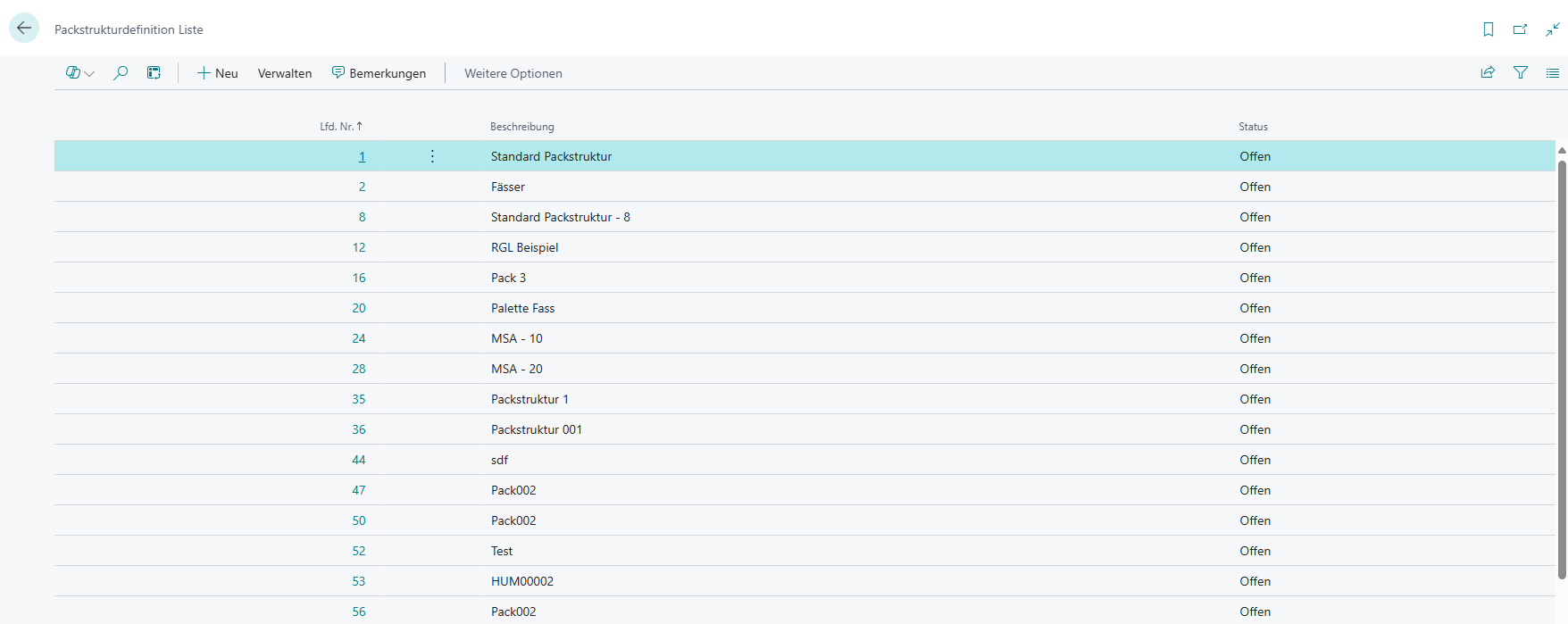
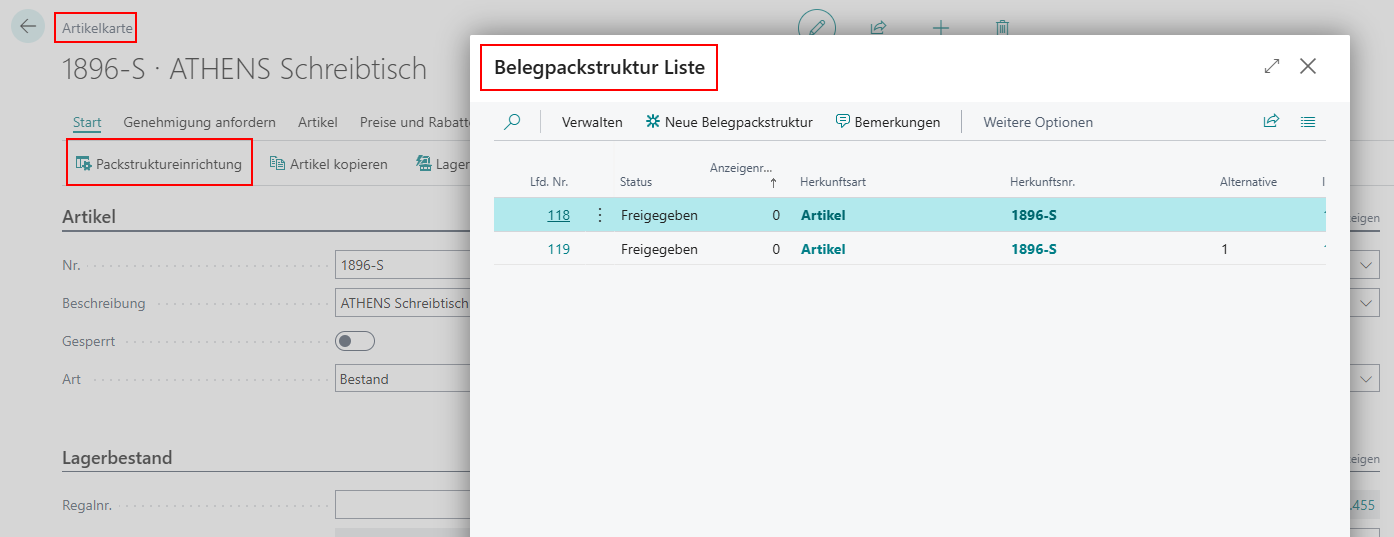
A document packaging structure represents a packaging structure assigned to master data. Despite the term, this can apply not only to documents but also to items and further to customers and vendors.
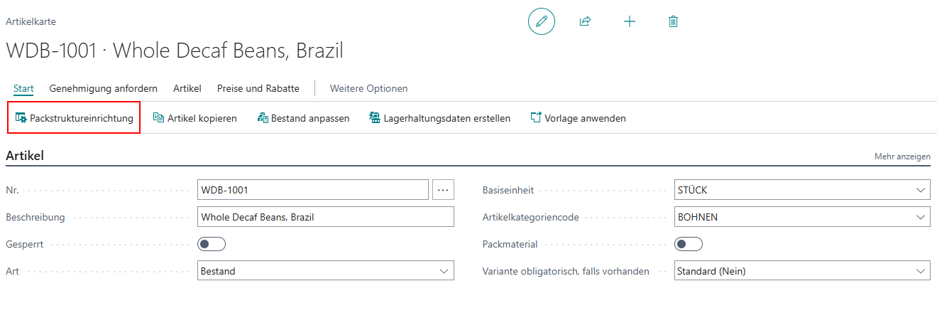
Through the packaging structure setup, various packaging structures can be assigned to master data.
For example, item packaging structures can be configured via the item card.
This assignment as master data packaging structures enables automated assignment of the packaging structure definition in the respective process step.
Using packaging structures, hierarchies of packaging material assignments and contents can be represented. The following rules apply: 1. The top packaging level has no assignment.
There is only one top line without an assignment.
All other lines have an assignment.
The top line must always have quantity = 1.
There must be at least one line with a content type.
Lines without a content type represent packaging components. Here, the quantity describes the maximum number of such packages on the higher (“Belongs to”) packaging level.
Lines with a content type describe the packaged goods. Here, the quantity indicates how many units of the goods are contained in one unit of the higher packaging component.
Within the packaging structure, a handling unit (the largest movable unit) is represented.
Below it, the respective (outer) packaging and goods are arranged hierarchically across multiple levels.
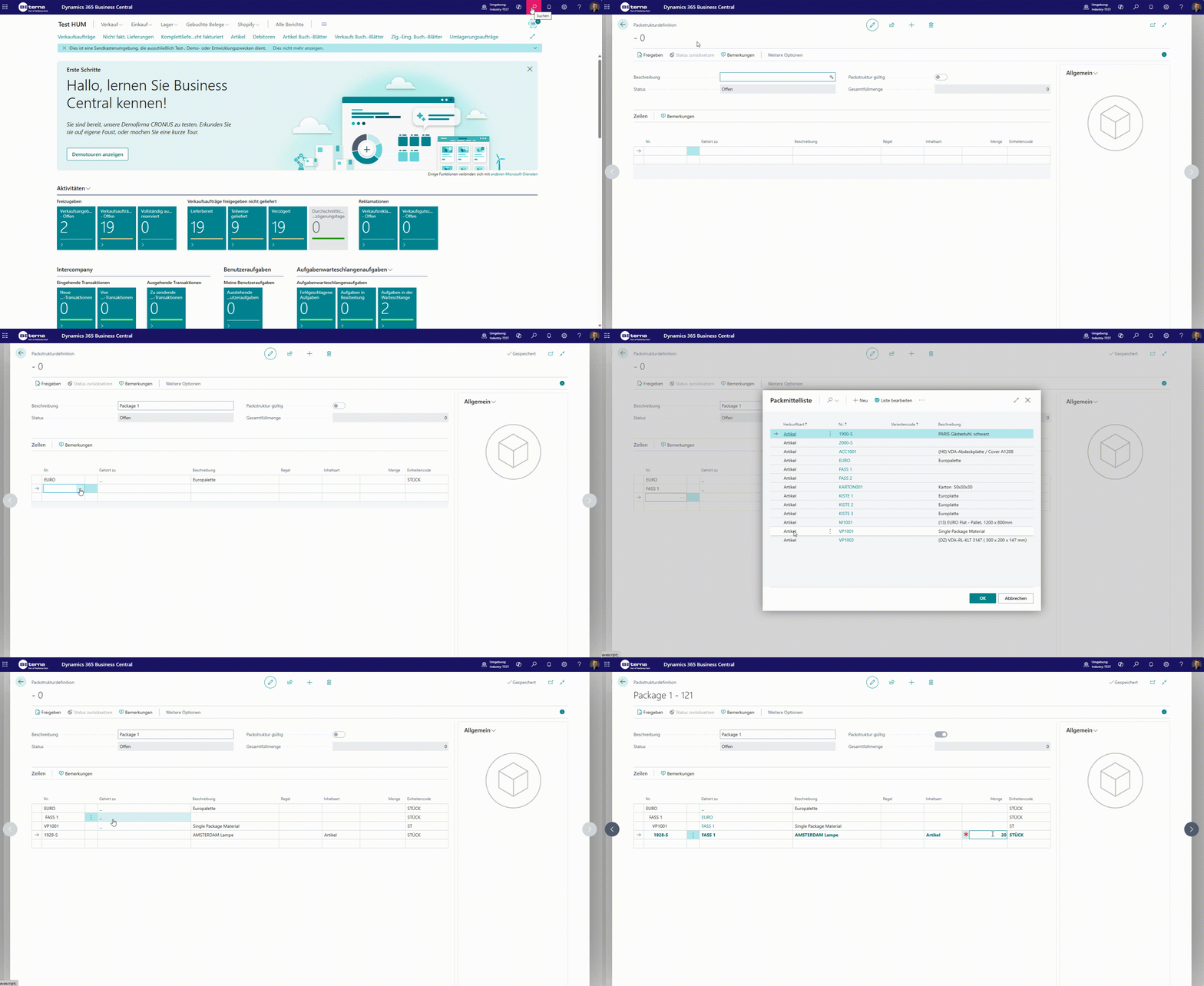
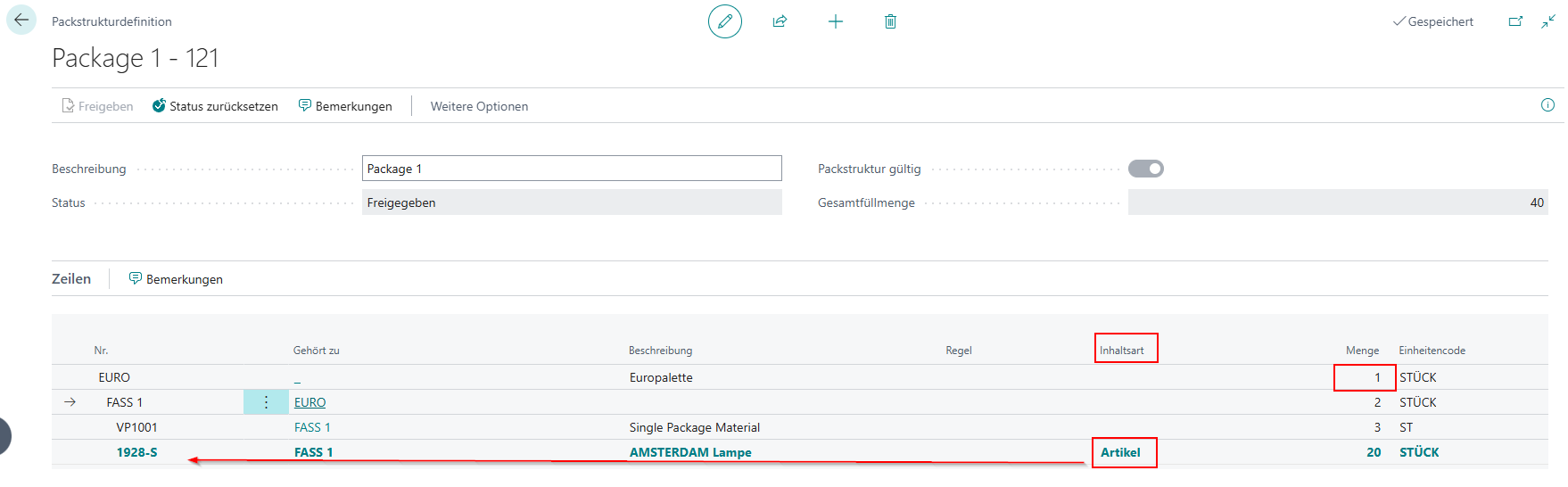
When creating a packaging structure definition, content may or may not be specified.
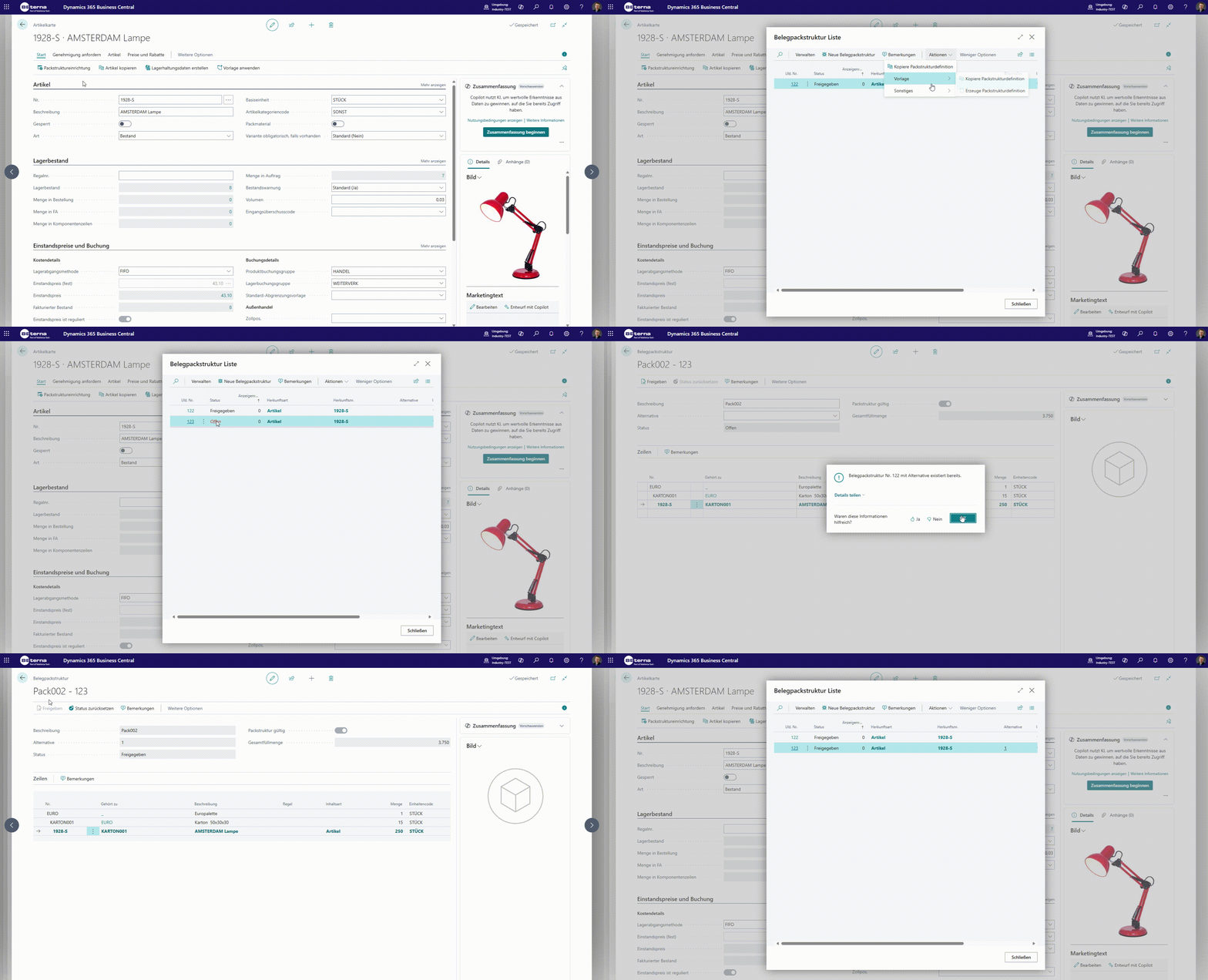
When copying a packaging structure with an assigned item to another item, the content is replaced by the new item.
When copying a packaging structure within the same item, customer, or document, the newly created packaging structure is initially marked as “open.”
This is necessary because the user must specify an alternative.
If a similar one already exists without being marked as an alternative, an alternative must be specified.
The packaging structures in the document are compiled by the system from various tables during document creation and stored in the corresponding line.
The most specific (marked) structure is automatically used as the default in the automatic packaging assignment.
Other packaging structures can be explicitly selected as alternatives.
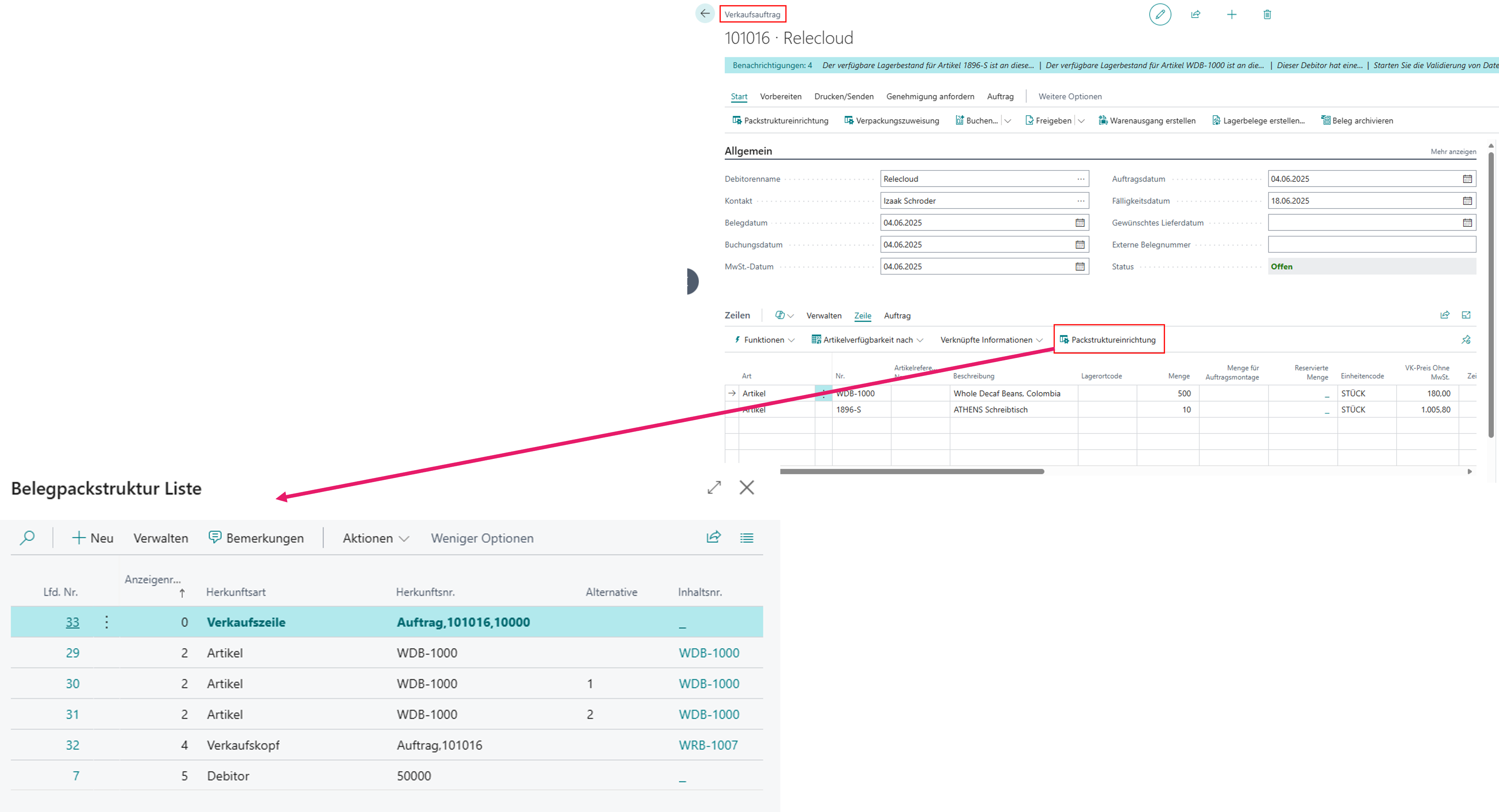
When creating a document, an automatic creation of document packaging structures is integrated. When a default packaging assignment is assigned via the document, the following order determines which packaging is used: * Document line
Item variant
Item
Item category
Document header
Customer/Vendor
Setup
When configuring packaging structures, alternatives must be specified if multiple packaging structures are assigned to an item, customer, etc.
This is necessary to determine which structure should be used automatically as the standard packaging structure.
Alternatives are specified within each structure.
A validation check when registering the structure notifies the user if an alternative is required.
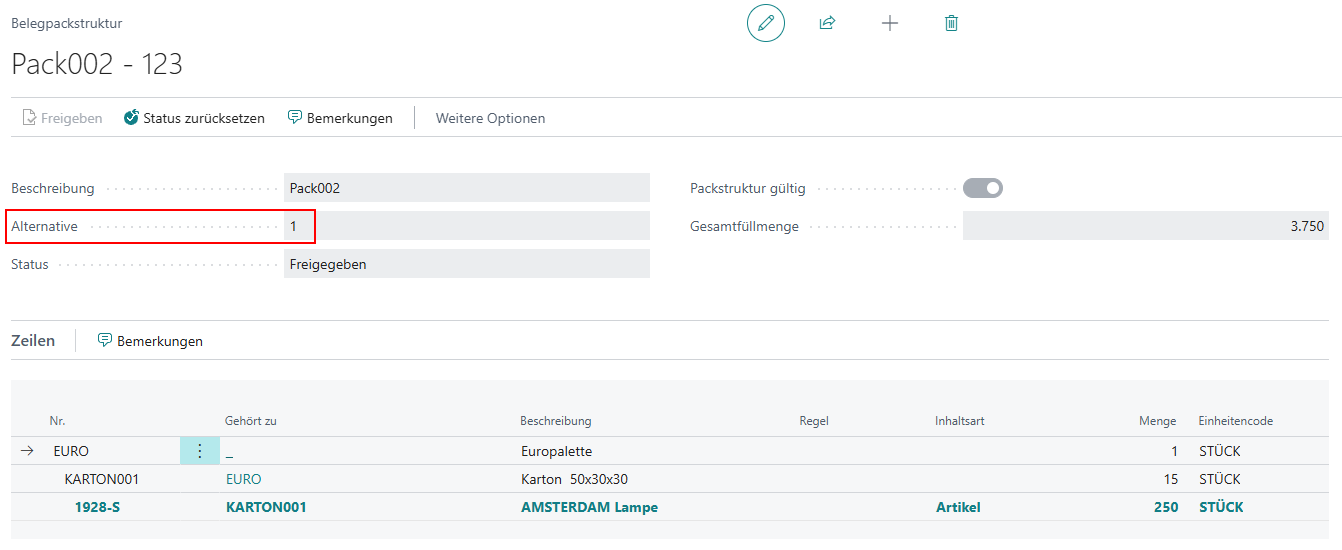 Alternatives are required to prioritize packaging structures of the same level regarding their use as a standard packaging assignment in the respective document packaging assignment.
The structure used as the standard packaging assignment is the one highest in the order of packaging structures for use as default packaging assignment hierarchy and not marked as an alternative.
Alternatives are required to prioritize packaging structures of the same level regarding their use as a standard packaging assignment in the respective document packaging assignment.
The structure used as the standard packaging assignment is the one highest in the order of packaging structures for use as default packaging assignment hierarchy and not marked as an alternative.
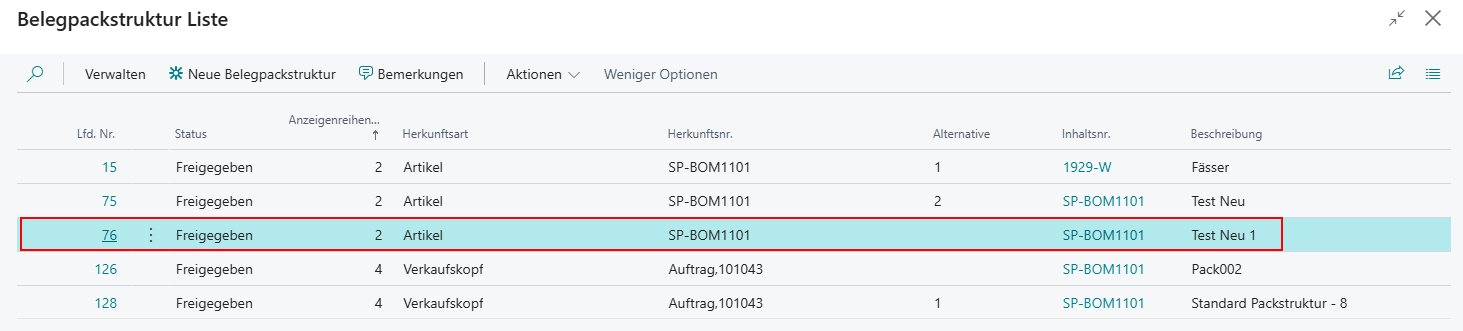 This is described in this section.
Rules can be defined within packaging structures and packaging assignments. These rules can be used to control or restrict external or internal requirements. The rules are validated when the packaging structure is created and when the packaging assignment is registered.